What Backup Reserve Should You Set on a Home Battery Before Winter?

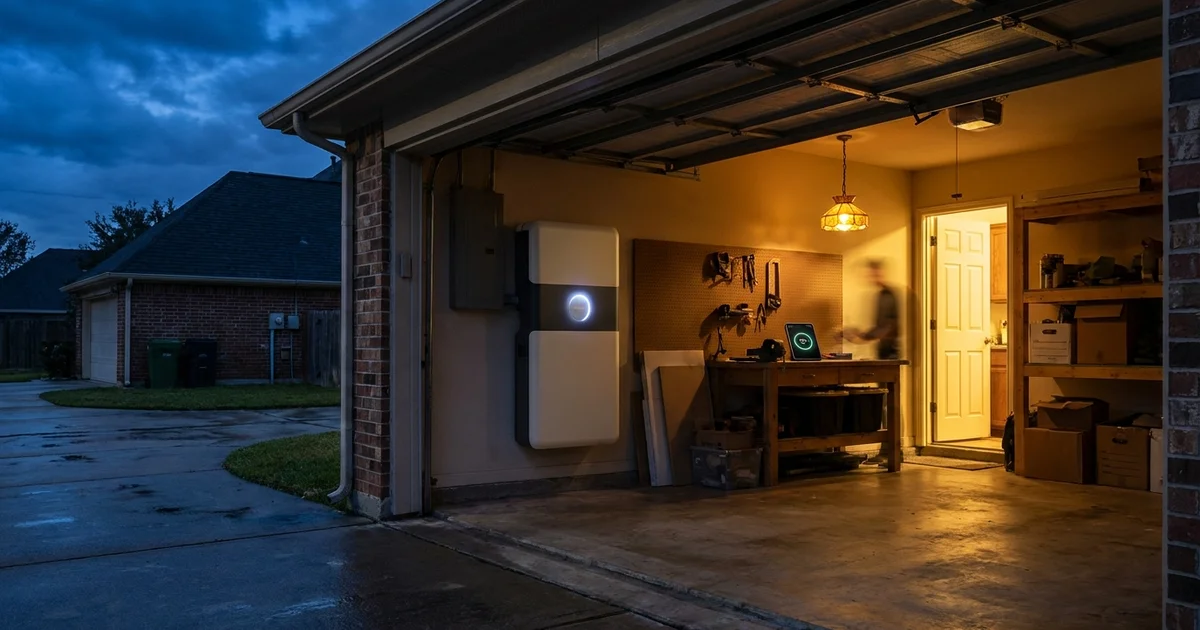
Most home batteries ask you one question that matters more than the rest: how much of the battery should be off limits to everyday use? That number is the backup reserve. Set it too low and a cold front can find you with half a battery. Set it too high and you give up the daily uses you bought the system for.
Winter is a good time to settle it. This post is only about that one decision. For the full hurricane routine, see our storm mode and evacuation guide. For how the hardware behaves in a freeze, see our cold weather guide.
Key Takeaways
- The reserve is the share of charge the battery keeps for an outage instead of spending on daily use. In Sigenergy's manual, the battery stops discharging at the reserve while the grid is connected, and that held energy is available when the grid goes down (Sigenergy mySigen App User Manual).
- Houston's average first freeze falls in early to mid December, and by December 1 the odds of a freeze at Bush Intercontinental reach about 30 percent (Click2Houston, citing NWS Houston). Settle the number in November, not during the forecast.
- Pick the reserve by hours, not by feel: held kWh divided by the load you must keep running.
- I could not find a published default reserve or allowed range for Eos installs, so I do not state one here.
What does a backup reserve actually do?
Think of the battery as one tank with a line painted on it. Everything above the line is available for daily use. Everything below the line is held back for an outage.
Sigenergy, the manufacturer of the equipment Eos installs, describes it this way. If there is a Gateway in the network, you can manually set the Backup Reserve value in the mySigen app. While the grid is connected, the battery stops discharging when the set backup level is reached. When the grid powers down, the battery energy held in reserve can be used (Sigenergy mySigen App User Manual).
Two honest limits on that source. The copy I could read is a 2023 first-edition manual hosted by a distributor, so screens and wording may have changed in newer app versions. And it does not give a default value or an allowed range, so I will not guess at either. Ask your installer what your system is set to today and where the setting sits in your current app.
Also note the Gateway condition. The manual ties the setting to a Gateway being present. Confirm what is installed at your address rather than assuming.
Why is winter different from summer for this setting?
Summer in Houston is mostly about air conditioning and the occasional storm. Winter has a different shape. Two things change.
First, the weather can turn fast. NWS Houston figures reported by Click2Houston put the average first freeze at December 9 for Bush Intercontinental and December 14 for Hobby, with Bush odds of about 10 percent by November 17, 30 percent by December 1, 60 percent by December 15 and 80 percent by January 1 (Click2Houston). Those are airport averages. Your neighborhood can run warmer or colder.
Second, the grid is the weak link in a freeze, not the battery. We covered Winter Storm Uri in our winter storm preparation guide. A reserve only helps if it was already in place when the grid dropped.
The National Weather Service describes a Winter Storm Watch as issued when conditions are favorable for a significant winter storm event, and a Warning as issued for a significant event including snow, ice or sleet (NWS, Winter Weather Watches, Warnings and Advisories). That page does not state a lead time, so I will not quote one. The practical point is that a watch is already late for a decision you could have made a week ago.
How do you turn a percentage into hours?
A percentage means nothing until you translate it. Here is the arithmetic, and it is the same for every household.
Held energy equals reserve percentage times battery capacity. Runtime in hours equals held energy divided by the average load in kilowatts.
One Eos battery module is 9 kWh nominal, 8.76 kWh usable. Each added module adds the same again, so two modules are 17.52 kWh usable, three are 26.28 kWh, and so on up to five at 43.80 kWh (every Eos plan uses one controller rated 11.5 kW continuous, 17.1 kW surge). See the plans for the full table.
One caveat before the examples. I could not confirm whether the app's percentage is measured against nominal or usable capacity, or whether any cushion sits below the displayed zero. Treat the figures below as round-number planning arithmetic, not a promise of a specific runtime.
Illustrative example, one module: a 50 percent reserve holds about 4.4 kWh. If the loads you keep on average 1 kW, that is about 4 hours. At a 100 percent reserve it is about 8 hours. The load number here is a made-up round figure to show the method. Your own average depends on what you leave on, and our appliance wattage chart helps you total it.
Two modules double every one of those numbers at the same percentage. That is why the right reserve depends on the system size, not only on your nerves.
What reserve should you pick?
I will not give you one number for every house, because the honest answer depends on three things you can name.
What must keep running. A fridge and Wi-Fi is a small load. A medical device you cannot lose is a hard floor. Heat is the biggest variable. If you rely on electric heat or a heat pump, read our heat pump winter outage guide before choosing.
How long you want to cover without help. Pick the hours first. A reserve that covers the first night is a different setting from one that covers two days. For longer outages, our extended outages guide covers what changes after the first day.
What the battery does the rest of the time. If it only backs up, you can leave the reserve high all winter and lose nothing. If it also shifts energy for a time-of-use plan, every point of reserve is a point not used for that. Our time-of-use guide shows why those savings are modest, which tends to make a higher winter reserve an easy trade.
A simple way to decide, in three steps:
- Write down the loads you cannot lose and add up their watts.
- Choose the number of hours you want covered with no grid and no sun.
- Work backward: hours times load in kW gives kWh, and kWh divided by capacity gives the reserve percentage.
If the percentage comes out above 100, you have found a capacity question, not a settings question. That is when a bigger system or a shorter list of protected loads is the answer. You can also add batteries later.
When should you raise it above your normal setting?
Treat your everyday reserve as the floor and your storm reserve as a second number you move up on a trigger.
A trigger works better than remembering. Examples that cost nothing: a first freeze in the forecast, a Winter Storm Watch for the Houston area, or a cold front with a hard freeze on the way. The Atlantic hurricane season officially runs June 1 to November 30 (NWS, Hurricane safety), so for a few more weeks the same bump applies to a Gulf system. Our storm mode guide covers the tropical timeline.
Whatever trigger you choose, confirm the result on the screen. Open the app and read the state of charge and the reserve value. Do not rely on a toggle having done what its name says. Our monthly self-test checklist is a good place to add that check.
Is a higher reserve ever a mistake?
Rarely, but yes in two situations.
If you have solar and a reserve held at the maximum all year, you may be leaving daily usable energy on the table. That is a cost in lost savings, not a danger.
And a reserve is not a runtime guarantee. A big load such as an electric water heater or a whole electric range can draw the held energy fast. If you do not know which circuits are protected, setting the reserve is the easy half. Our what happens when the battery runs out post explains the other half.
What to do next
Pick your trigger, pick your hours, and write the percentage on a sticky note by the panel. Then open the app once and confirm it matches. It takes about five minutes.
Or call Eos at 833-989-3737 to talk through your setup with an installer.
Frequently asked questions
What is a backup reserve on a home battery?
It is the share of charge the battery holds back for an outage. Per Sigenergy's manual, while the grid is connected the battery stops discharging when the set backup level is reached, and that energy is available if the grid goes down (Sigenergy).
Should I set my backup reserve to 100 percent for winter?
If the battery is for backup first, many owners do, because winter savings are small and a full battery buys the most hours. If you also depend on the battery for daily savings, work out the hours you want covered and set the lowest number that delivers them.
Does a higher reserve wear out the battery?
I did not find a published Eos or Sigenergy statement on this, so I will not claim one. Holding charge is not the same as cycling it. Ask your installer what the warranty documents say.
Can I change the reserve from my phone?
The Sigenergy manual describes setting it in the mySigen app when a Gateway is in the network. Menu paths can differ by app version, so check yours, and test a change while you are home.
When does Houston usually get its first freeze?
NWS Houston figures reported by Click2Houston give an average of December 9 at Bush Intercontinental and December 14 at Hobby (Click2Houston). Individual years vary widely.