Before the Storm: Setting Up Your Home Battery for a Hurricane

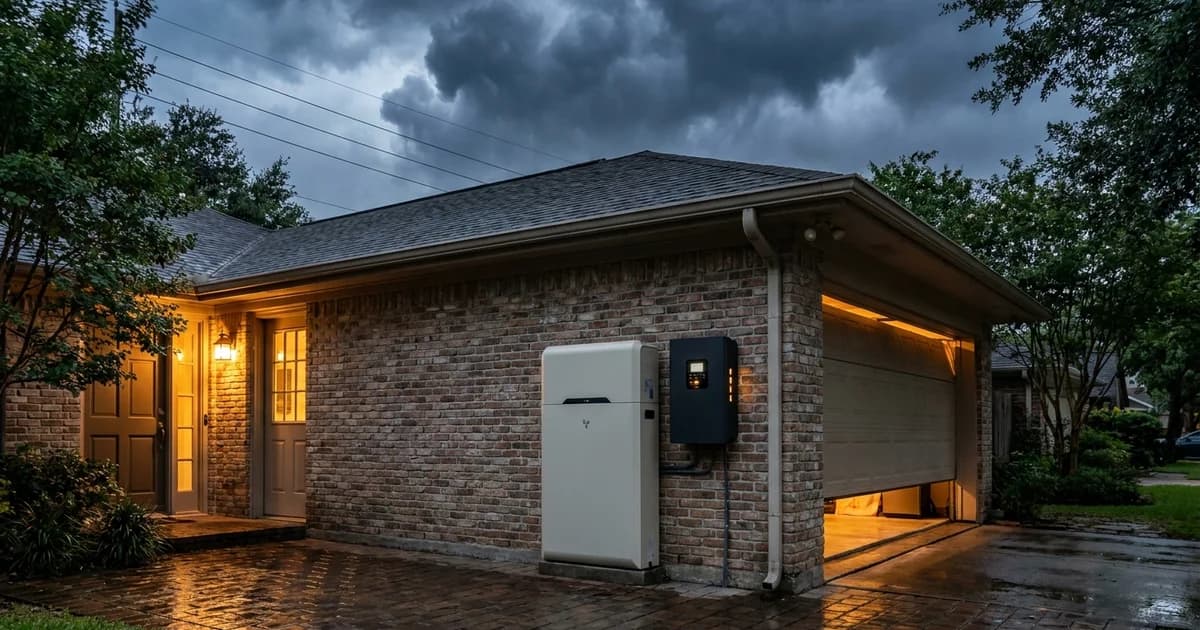
Before the Storm: Setting Up Your Home Battery for a Hurricane
The Atlantic hurricane season runs from June 1 to November 30, and the Gulf stays active well into the fall (National Hurricane Center, Climatology). If a storm is coming and you own a home battery, there is a short list of battery-specific jobs to finish before you leave or hunker down. This guide covers only those jobs. Water, food and document lists live in our Houston hurricane power outage checklist.
Key Takeaways
- The National Weather Service says a hurricane watch comes 48 hours before tropical-storm-force winds, and a warning 36 hours before (NWS). Charge to full before the watch if you can.
- Look for a "backup reserve" or "storm" setting in your app. Names vary by brand, so check yours.
- Know where your AC disconnect and main breaker are, and never approach equipment if water is near it.
- If you evacuate, your monitoring only works if your router stays powered.
What does "storm mode" actually do?
Most home batteries let you set a reserve: a percentage of charge held back for an outage instead of used for daily savings. Some brands label a preset "storm mode," "storm watch" or "backup only." The behavior is similar, but the name, menu and trigger are not standard, so most systems offer a reserve setting and you should check yours in the manual or app.
The point is simple. A battery that sits at 60% because it was cycling for time-of-use savings has less to give when the grid drops. A battery held at 100% has everything it can deliver on day one.
Here is the honest limit. I can't tell you the exact menu path for your system, because manufacturers differ and a firmware update can move things. If your app has an automatic storm feature that reads weather alerts, confirm it actually did what it says by looking at the state of charge yourself. Trust the number on the screen, not the toggle.
For the system Eos installs, the controller is rated for 11.5 kW continuous and 17.1 kW surge, which sets how many loads can run at once. Reserve level sets how long they run. Those are two separate questions, and storm prep only changes the second one.
When should you raise the reserve?
By the time a hurricane watch appears, you are already inside the window where preparation gets hard. The NWS explains that a watch is issued 48 hours before forecast tropical-storm-force winds, and a warning 36 hours before, and describes that lead time as the window to finish your preparations (NWS, Hurricane and Tropical Storm Watches and Warnings). Roads, stores and your own patience tighten quickly in those hours.
So set the reserve earlier than the official products require. A practical rule: when the National Hurricane Center first shows a Gulf system with a track toward the Texas coast, raise the reserve to the maximum. It costs you a few days of lost daily savings. It buys you a full battery at the worst moment.
Think in three beats:
- Cone on the Texas coast: raise reserve to 100%, confirm it holds.
- Hurricane watch (48 hours out): verify remote access, review the breaker plan below.
- Hurricane warning (36 hours out): leave nothing for the last hour. Finish, then go.
Do you know your evacuation zone before the order comes?
Harris County issues hurricane evacuation orders by ZIP zone, and the county publishes an Evacuation Zip Zone map on its emergency management site (Harris County, ReadyHarris). Find your zone now, not during the order. Orders are staggered by zone to limit highway gridlock, so your departure time may differ from a neighbor's.
Why does this belong in a battery article? Because your battery checklist has to fit inside your departure window. If your zone is called first, you have less time to do anything after the watch. Storm surge is the part of a hurricane that most often decides whether you are told to leave: the National Hurricane Center states that surge is currently the leading cause of fatalities from hurricanes (NHC, Storm Surge).
If local officials tell you to evacuate, do it. Ready.gov puts it plainly: in a mandatory evacuation zone, leave immediately (Ready.gov, Hurricanes). No battery is worth a delayed departure.
Where are your AC disconnect and main breaker?
Find these two devices in daylight, today. You should be able to point to them without a flashlight.
- The main breaker is in your main electrical panel. It cuts the house from the grid side.
- The AC disconnect is typically a lockable switch box near the battery or inverter, and it isolates the battery system's AC connection from the home wiring.
- The battery's own shutdown control is often a switch or button on the unit, plus a software shutdown in the app.
Where each sits depends on your install, so ask your installer for a labeled photo of the panel and the battery location, and save it to your phone. Our installation day walkthrough shows what a typical layout looks like.
This matters because of what FEMA says about flooded electrical gear. Its guidance says to turn off electricity at the main breaker, even if the power is off in your community, and never to do it if you must stand in water to reach the panel; in that case, call an electrician (FEMA, Guidance for Turning the Power Back On). Ready.gov adds the same condition: shut off the main only if it is safe to do so (Ready.gov).
Should you leave the battery on or shut it off when you evacuate?
It depends, and anyone who gives you one answer for every home is guessing. Two things decide it: what your manual says and whether water could reach the equipment.
If flooding is unlikely at your address (you are elevated, outside the surge zone, and the battery is mounted well above grade), leaving the system on at full reserve usually makes sense. A running battery can keep a refrigerator, a sump pump and your router alive for a house nobody is in. Check your manual for its stated guidance on unattended operation.
If water might reach the equipment, the logic flips. FEMA warns that fire, explosion or electrocution can occur if power is inadvertently restored to inundated equipment, and says to leave the electricity off until a licensed electrician has inspected and repaired the wiring (FEMA, Guidance for Turning the Power Back On). Shutting down before you leave, as your manual describes, is the more cautious path. Our post on flood elevation and battery placement explains how mounting height is decided.
What should you turn off before you leave?
Whatever is on your backup circuits will run on stored energy while you are gone. Before leaving, consider switching off the loads that do nothing for an empty house:
- Electric water heater (it can drain a battery fast)
- EV charger and any pool equipment you will not need
- Heavy appliances such as a dryer or oven
- Anything with a heating element or a timer
Leave the refrigerator, freezer, sump pump and router on. Your installer can tell you which breakers feed your backup panel, since the circuits protected differ from home to home.
How do you monitor the battery while you are evacuated?
Remote monitoring is your only window into the house, and it has a single point of failure: your internet. Most battery apps report through your home Wi-Fi, so if the router loses power or the line goes down, the data stops. The app going quiet does not mean the battery has failed.
Do three things beforehand:
- Put the router and modem on a backed-up circuit, or confirm they already are. Our guide to battery backup for your router explains how.
- Open the app on your phone and confirm it shows a live state of charge, not a cached number. Note the time stamp.
- Turn on alerts for grid loss, low charge and system faults, if your app offers them.
Our Wi-Fi and remote monitoring setup guide walks through the gateway and app steps. A battery in an empty house can't be adjusted by anyone, so if you want a lower power draw while you are away, set it before you go.
What should you never touch?
This is the short, firm section. If floodwater is near the battery, the panel or the inverter, stay away from it.
- Do not enter a flooded or wet building if the power is on. FEMA says exactly that (FEMA).
- Do not open the battery enclosure, reset breakers while standing in water, or try to move a wall-mounted unit yourself.
- Do not energize anything that was underwater. CenterPoint's guidance, as reported by local media, is to have a licensed electrician check the system before the main is turned back on if water rose above your outlets (ABC13 Houston, CenterPoint safety tips).
- Watch for smoke, hissing or popping. The U.S. Fire Administration advises that if flooded lithium-ion batteries emit smoke or gas, you should move to a safe distance and notify the fire department (USFA, Lithium-Ion Battery Safety After Flooding). That guidance targets portable devices and vehicles, and it does not give steps for a fixed home battery.
Is there public data on how often flooded home batteries ignite? Not that I could verify. No reliable public count of residential storage failures after Gulf Coast flooding is available, so this article does not offer one. Our fire safety and UL 9540A explainer covers how these systems are tested.
If you return to a flooded house, do not turn the system back on. Call a licensed electrician and your installer first.
What does an empty house mean for the system?
An empty house changes three things.
Nobody can respond. No one can reset a tripped breaker, move a load or restart an app. Anything that needs a human has to be settled before you leave.
Outages can run long. More than 2.6 million Texas power customers lost power in Hurricane Beryl, and a week after the storm hundreds of thousands still had none (Texas Tribune). A reserve at 100% protects day one, but it does not make the battery endless. Our guide to multi-day Texas outages explains how runtime stretches or shrinks with load.
Generators are not the fix. If you bring a portable generator back to a storm-damaged home, FEMA says to keep it outdoors, at least 20 feet from the house, and never to plug it into a wall outlet to power house wiring (FEMA, Generators After a Hurricane). A battery has no exhaust, but the same discipline about water and wiring applies.
For a wider look at sizing before next season, read our hurricane season battery backup guide.
Your 15-minute battery storm checklist
Print this or save it as a note.
- Raise the backup reserve to 100% (or use your brand's storm setting) and confirm it on screen.
- Photograph the main breaker, AC disconnect and battery shutdown control.
- Confirm the router and modem are on a protected circuit.
- Open the app, check live state of charge, enable alerts.
- Decide on-or-off using your manual and your flood risk.
- Turn off heavy loads you will not need.
- Save your installer's phone number where you can find it offline.
- Look up your evacuation zone at ReadyHarris.
- Leave when told to leave.
Or call Eos at 833-989-3737 to talk through your setup with an installer.
FAQ
How full should my home battery be before a hurricane?
Full. Set the backup reserve to its maximum as soon as a Gulf system threatens Texas, rather than waiting for a watch. The NWS issues watches 48 hours before tropical-storm winds (NWS), and that window fills fast with evacuation and errands.
Is there a storm mode on every home battery?
No. Many brands offer a reserve slider or a storm preset, but names and behavior vary, and some systems have neither. Check your manual or app, and verify the resulting state of charge yourself instead of trusting a toggle.
Should I shut off my battery before I evacuate?
It depends on your manual and your flood risk. If water could reach the equipment, shutting down as the manual describes is the cautious choice, and FEMA says flooded electrical equipment must be inspected by a licensed electrician before it is energized (FEMA).
Can I check my battery from another city?
Usually, yes, through the manufacturer's app, as long as your home internet stays up. If the router loses power, the app goes quiet even when the battery is fine. Put the router on a backed-up circuit before you leave.
What if floodwater reaches my battery?
Stay away from it. Do not open it, reset breakers in water, or restore power. Call a licensed electrician and your installer, and call the fire department if you see smoke, hissing or popping.
If you want a system sized for your home before the next storm, our plans page lays out the options, and the planner takes about three minutes.
Eos Backup and Battery installs home battery systems across the Houston area. This article is general information, not a substitute for your manufacturer's manual or local emergency officials.