How Fast Does a Home Battery Take Over When the Grid Drops?

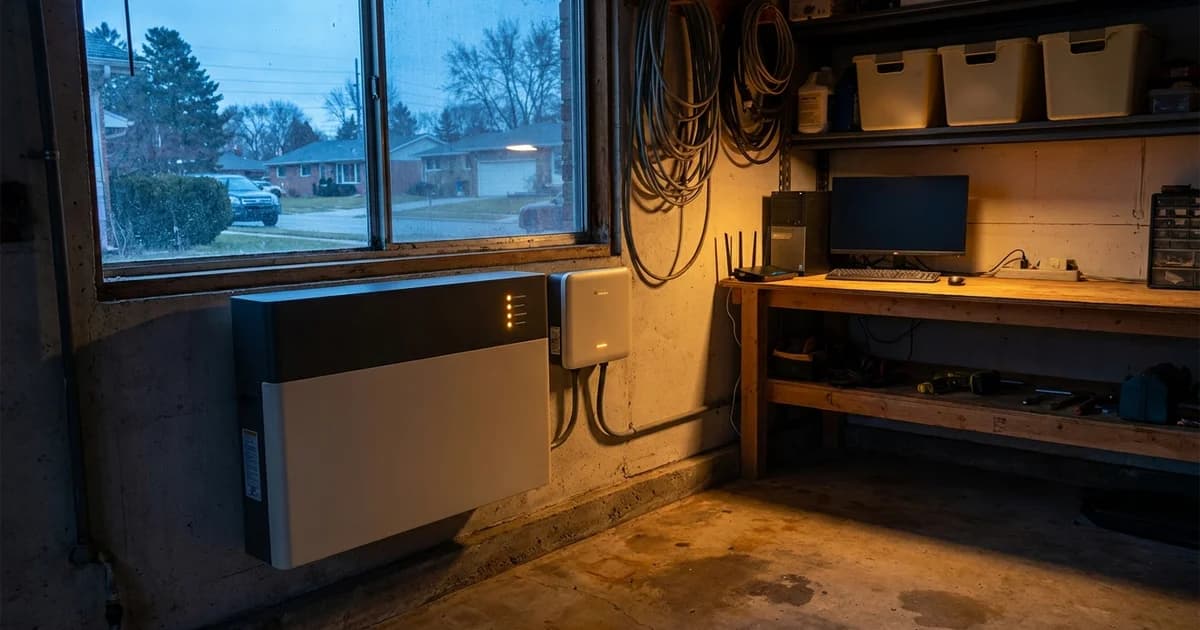
Ask ten installers how fast a home battery takes over and you'll hear "instant" ten times. The honest answer is a number in milliseconds, and it depends on the exact gateway, inverter and load. Most of the confusion comes from comparing a whole-home battery to a desk UPS, which is a different kind of device built to a different standard.
This guide explains what actually happens in the gap, which published figures you can trust, and which of your devices ride through it.
Key Takeaways
- Switchover is not one number. It depends on the gateway, the inverter and your load, so read the datasheet for your exact configuration.
- One Sigenergy gateway datasheet lists 0 ms of load-side disruption under stated test conditions.
- A PC power supply is designed to hold up for about 17 ms (Intel ATX12V design guide).
- A battery backup is not a life-support UPS.
What Happens in the Gap When the Grid Goes Down?
Your battery inverter can't simply keep pushing power onto a dead grid. In North America, the interconnection standard requires a grid-tied inverter to detect an unintentional island and stop energizing it. IEEE 1547-2018, clause 8.1.1, sets that limit at 2 seconds from the formation of the island (Caterpillar, Generator Set Compliance with IEEE Standard 1547). Utility workers on a dead line depend on that rule.
So a battery can't ride through by doing nothing. Something has to open the connection to the grid, and then the system has to create its own local supply for your home. That "something" is a gateway or transfer device, which opens a switch at your service entrance so your house is electrically separate from the street. After that, the inverter re-forms a stable voltage and frequency for the backed-up circuits.
The 2-second figure is a ceiling for the detection function, not the time your lights stay off. Testing at the National Renewable Energy Laboratory has measured single-phase PV inverter island response well under that limit, with a maximum of 711 ms, in a study that predates the 2018 revision (NREL, islanding detection testing). Different designs, different numbers. A battery system with a dedicated gateway detects the loss of grid directly and doesn't wait for the slow passive detection logic that a bare PV inverter relies on.
What Do Published Switchover Numbers Actually Say?
Datasheets are the only trustworthy source here, and they come with footnotes. Sigenergy's Gateway datasheet lists the disruption time of the backup switch as 0 ms, with a footnote that it refers to load-side disruption and requires the gateway, a Sigen hybrid inverter and a Sigen battery working together (Sigenergy Gateway datasheet via Krannich Solar).
The same footnote adds test conditions: the grid is in an open-circuit state, and the inverter's nominal power is higher than the total power of the backed-up loads. The Sigen Gateway C60 sheet carries the same 0 ms line (Sigenergy Gateway C60 AU datasheet). Product listings for the Sigen LoadHub (Solar Electric Supply) and trade coverage of the SigenStor Neo (TaiyangNews) repeat the zero-millisecond claim.
Read that carefully. "0 ms" is a load-side figure measured under a stated test. It doesn't promise zero disturbance for every appliance in every house. If your backed-up loads exceed the inverter's rating, or the configuration differs, the datasheet number no longer applies.
What does Eos publish?
Eos installs Sigenergy equipment, and we don't want to hand you a number we haven't published. Our Commercial Essential plan page states the system switches in under 20 ms. For the residential Essential, Plus and Pro plans, no switchover figure appears on the plans pages or the specifications page, so we won't quote one here. If a number matters for your equipment, ask for the datasheet line for your exact gateway and inverter combination.
Is a Home Battery the Same Thing as a UPS?
Not quite. The international UPS standard, IEC 62040-3, sorts UPS designs into three classes by how the output behaves when the mains fail. One technical guide summarizes typical transfer times as 4 to 20 ms for VFD (offline), 2 to 6 ms for VI (line-interactive) and 0 ms for VFI (online double conversion) (industry-electronics.com, UPS topologies).
An online UPS runs your load through its inverter all the time, so there's nothing to switch. Offline and line-interactive units detect the failure, then flip. A home battery gateway sits somewhere between the second and third designs, depending on the product and its test conditions. It's built for a very different job, though.
A desk UPS holds a few hundred watts for minutes. A whole-home system carries kilowatts for hours. The two aren't rivals. If you run a rack or a workstation you can't afford to lose, the combination is common: the UPS covers the gap, the battery covers the duration. We cover that setup in our home server and network rack guide, and the broader comparison with surge protection in our surge protector and battery backup breakdown.
Will My Computer Stay On During Switchover?
Usually yes, for a desktop PC, and the reason is in the power supply itself. The Intel ATX12V power supply design guide requires a supply to hold regulated output through a loss of input power for a minimum of 17 ms at maximum continuous load (Intel ATX12V Power Supply Design Guide, v2.2). Real PCs rarely draw maximum load, so the margin is often larger.
Newer ATX 3.1 supplies are rated for 12 ms at full load, according to a power supply review that checks measured hold-up against that requirement (Hardware Busters). So the hold-up window depends on the age and rating of your supply. Here's the practical picture:
- Desktop PCs and monitors: a gap under roughly 12 ms is inside the hold-up window. A gap over about 20 ms starts to be a gamble.
- Laptops: they run from their own battery, so they're unaffected.
- Routers, modems and mesh nodes: small power bricks have little hold-up. Some ride through, some reboot. We haven't found a published standard for them, so treat it as device specific.
- Clocks and some appliance control boards: microwave and oven clocks often blink. That doesn't mean the battery failed. It means the device has no memory.
- Refrigerators and AC compressors: they don't care about a gap that short, but they do care about surge. A system with 17.1 kW surge capacity handles startup better than one without, and that figure is on our specifications page.
Here's the unglamorous part. Even with a 0 ms datasheet claim, a router can still restart if its adapter is marginal. If your network is critical, put a small UPS on the router and modem. It costs little and removes the question.
What About Medical Devices and Life Support?
Say this plainly: a home battery backup is not a life-support UPS. It's designed to run a house, not to be the certified, monitored power source for a ventilator or similar equipment.
For a CPAP, a short gap is rarely a problem, and many machines have their own battery options. Washington State's health guidance for people on life-sustaining equipment tells households to confirm that the backup source powers on immediately, and notes that most new machines have battery backup built in (Washington DSHS, Life Sustaining Equipment). Follow your device maker's instructions and your clinician's plan first.
We walk through CPAP specifics in our CPAP and medical device backup guide. And if someone in your home depends on powered equipment to stay alive, talk with your care team and the device manufacturer before you rely on any whole-home system.
How Does This Compare With a Generator?
A standby generator is a different animal. It has to start, spin up and stabilize before its transfer switch moves your load, and our existing comparison puts that wait in the range of seconds, not milliseconds. We covered the full tradeoff in home battery backup vs generator in Texas.
The two can also coexist. The battery covers the first moments and the generator can handle a multi-day event. For houses with a generator already in place, see our guide to adding battery backup to an existing generator.
How to Check Switchover Before You Buy
You don't need lab equipment. You need the right questions.
- Ask for the datasheet line, not a brochure claim. The figure should name the gateway, inverter and battery it applies to.
- Read the footnote. Look for "load-side," the grid condition tested and the load limit.
- List your sensitive devices. Desktop PC, router, home server, medical equipment. Decide which ones get their own UPS.
- Confirm your load fits the inverter. The datasheet's test condition assumes backed-up loads stay below the inverter's rating.
- Ask what Eos has published for your plan. If the answer is "nothing," believe it, and plan accordingly.
Or call Eos at 833-989-3737 to talk through your setup with an installer.
Frequently Asked Questions
What is a normal home battery switchover time?
There's no single normal figure. Published values run from 0 ms load-side on some Sigenergy datasheets, under specific test conditions, to under 20 ms on other systems. Always check the datasheet for the gateway and inverter you're actually buying.
Does battery backup work like a UPS?
Partly. The purpose is similar, but a UPS is classed under IEC 62040-3 by output behavior, with typical transfer times of 0 to 20 ms depending on class (industry-electronics.com). A whole-home battery is built for hours of runtime, not just a short ride-through.
Will my computer stay on during switchover?
A desktop PC probably will. ATX power supplies are designed to hold up for at least 17 ms under the older Intel guide and 12 ms under ATX 3.1. If a switchover gap is shorter than your supply's hold-up time, the PC never notices.
Why does my router restart anyway?
Small adapters store very little energy, and we haven't found a published hold-up standard for them. A marginal adapter can brown out even when the datasheet says 0 ms. A small UPS on the modem and router fixes it.
Can I rely on a home battery for a CPAP or ventilator?
For a CPAP, many users do, but follow the device maker's guidance. For a ventilator or any life-support equipment, a home battery backup isn't a substitute for the device's own certified backup. Talk with your care team and read our CPAP guide.