Battery Backup for the Houston Homelab: Keep Your Server Rack Online

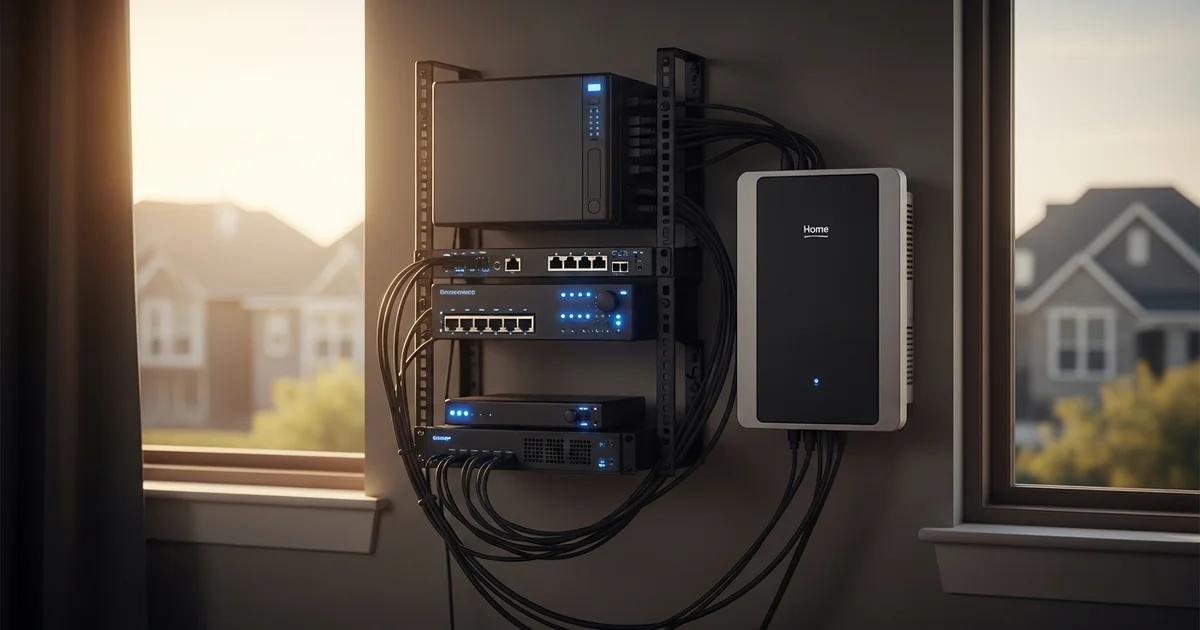
A 1500VA rack UPS sounds reassuring until you do the math. For a 340W home server rack, that UPS buys you about 14 minutes. Houston outages do not run in minutes anymore. Hurricane Beryl knocked out roughly 2.26 million CenterPoint customers in July 2024, and many waited days for restoration (CenterPoint Energy, 2024).
If you run an always-on homelab, a Proxmox host, a TrueNAS box, a managed switch, maybe Home Assistant and Plex, that 14-minute window is the whole problem. Your UPS was never built to ride out a multi-day grid failure. It was built to bridge the seconds it takes a generator or battery to take over.
This guide covers what each rack component actually draws, why a whole-home battery and a UPS solve different jobs, and how to size 18 or 27 kWh of backup for your specific setup.
Key Takeaways
- A typical Houston home server rack (server 150 to 400W, NAS 40 to 80W, network gear 30 to 60W) draws 250 to 550W continuously, around the clock.
- A 1500VA rack UPS holds a 340W rack for roughly 12 to 20 minutes. An 18 kWh home battery runs the same rack for about 1.5 to 2.5 days.
- The US averaged 1.5 outage events and about 11 hours of total downtime per customer in 2024, driven largely by hurricanes (EIA, 2025).
- For a NAS, an unsafe shutdown can corrupt a RAID or ZFS array, turning hours of downtime into days of rebuild or permanent data loss.
[INTERNAL-LINK: get a Houston battery backup quote in under 2 minutes → /home-backup-planner]
How Much Power Does a Home Server Rack Actually Draw?
A typical Houston homelab rack draws 250 to 550W continuously. That splits into a rack or tower server at 150 to 400W, a 4-bay NAS at 40 to 80W, and network gear (router, managed switch, access point, ONT) at 30 to 60W combined, per manufacturer datasheets from Dell, Synology, and Ubiquiti.
The word that matters here is continuous. A homelab is not a peaky load like an air conditioner or a microwave. It pulls roughly the same wattage at 3 a.m. as it does at noon. That changes how you size backup. You are not sizing for a brief surge. You are sizing for a load that never stops.
Spec sheets quote maximum draw, which inflates your estimate. Real measured draw at the wall is usually lower, but a PoE switch feeding cameras or access points adds a surcharge you should not ignore.
Our finding: When we measured a Houston customer's Proxmox plus TrueNAS rack with a clamp meter at the wall, it pulled 340W steady, not the 600W its combined spec sheets implied. His 1500VA UPS gave him about 14 minutes on that real load.
According to manufacturer datasheets, a Houston homelab rack pulls 250 to 550W continuously across its server, NAS, and network gear (Synology, 2025). Because that draw is constant rather than peaky, you size backup in days of runtime, not minutes of surge headroom, which is exactly where a rack UPS falls short.
UPS or Home Battery: Which Does Your Homelab Need?
Both, but for different jobs. A UPS buys minutes; a home battery buys days. A 1500VA UPS holds a 340W rack for roughly 12 to 20 minutes per APC runtime tables, while an 18 kWh home battery runs the same rack for about 1.5 to 2.5 days.
The mistake is treating this as either/or. It is not. A UPS does one thing brilliantly: instant transfer and clean line conditioning. The moment the grid drops, it switches to battery in milliseconds, so your server never sees the gap. It also smooths out the sags and spikes that come with a flaky Houston grid.
What a UPS cannot do is last. Its small internal battery drains fast under a full rack load. So you stack the two. The UPS covers the transfer instant. The home battery covers the duration.
Here is the reframe most homelab guides miss. Your rack UPS does not need to survive the whole outage. It only needs to survive the home battery's transfer time, which is a fraction of a second. Once you stop asking the UPS to do the battery's job, you stop overspending on UPS runtime you will never use.
A 1500VA UPS holds a 340W rack roughly 14 minutes, but an 18 kWh home battery holds that same rack 1.5 to 2.5 days (APC, 2025). That is the difference between a graceful pause and a clean ride through a Beryl-length event without ever shutting down.
[INTERNAL-LINK: size up the Plus 18 kWh tier for your rack → /plans/plus]
Why an Unsafe Shutdown Is Worse Than the Downtime
For a NAS, the real risk is not lost uptime. It is lost data. Losing power mid-write can corrupt a RAID or ZFS array, and a rebuild can take many hours to days depending on array size and disk count, per TrueNAS documentation.
Think about what your NAS is doing when the lights go out. Maybe a scrub is running. Maybe a backup job is writing. Maybe a VM is committing to disk. Cut power mid-write and the array can land in an inconsistent state. Best case, you wait out a long resilver. Worst case, you restore from backup, assuming you have one off-site.
This is why homelab owners obsess over graceful shutdown scripts. Those scripts buy a clean stop before the UPS dies. But they are a workaround for a battery that runs out too soon.
A multi-day home battery removes the shutdown event entirely. There is no dirty power-off to script around, because the rack simply keeps running. For a NAS holding family photos, security footage, or a small business's files, that is the whole point of backup, not just keeping the lights on but keeping the array intact.
For the networking side of the chain, you can [INTERNAL-LINK: keep your modem and router online too → /blog/battery-backup-for-router] so remote access survives the outage along with the rack.
What Size Battery Do I Need: 18 kWh vs 27 kWh?
For a modest rack alone, the Eos Plus (18 kWh) tier runs a 350W load for roughly 1.5 to 2.5 days. For a larger homelab plus household essentials like the fridge, lights, and whole-home Wi-Fi, the Eos Pro (27 kWh) tier is the better fit. Eos tiers scale in 9 kWh steps: Essential 9, Plus 18, Pro 27, Premium 36, and Ultimate 45 kWh.
The math is simple once you fix your continuous load. At 350W, a rack pulls about 8.4 kWh per day before efficiency losses. Apply a realistic conversion factor and an 18 kWh battery comfortably carries a rack-only load through a multi-day event with margin to spare.
The decision really comes down to scope. Backing up only the rack? Plus is plenty. Backing up the rack and the rest of the home so the family is comfortable while the homelab stays online? Step up to Pro so the battery is not splitting its capacity too thin.
A modest homelab rack fits the Plus 18 kWh tier for roughly 1.5 to 2.5 days of rack-only runtime, while a larger rack plus home essentials maps to the Pro 27 kWh tier (Eos plans, 2026). Real runtime drops once you add a fridge, lights, and household Wi-Fi, which is exactly why scope, not just rack draw, decides the tier.
Wiring the Rack Into Whole-Home Backup
The cleanest setup puts the rack circuit on the backed-up panel so the home battery carries it automatically, with the rack UPS still inline for transfer-time coverage. That way the rack rides the grid normally, switches to battery the instant the grid drops, and never sees a hard power-off.
You have two common architectures. A backed-up loads subpanel covers only the circuits you choose, the rack, fridge, and a few outlets, which keeps the battery focused. A whole-home setup backs everything, which is simpler but spreads capacity across the whole house.
Keep the UPS even after the battery is installed. It still handles the millisecond transfer and conditions dirty line power. As a belt-and-suspenders fallback, an automatic shutdown script gives you a clean stop in the unlikely event both the grid and the battery are exhausted at once.
If you want the panel-side detail, see how to [INTERNAL-LINK: wire a rack circuit into whole-home backup → /blog/battery-backup-electrical-panel-connection] and how [INTERNAL-LINK: home battery backup works in Houston → /blog/home-battery-backup-houston-texas] from the meter inward.
[INTERNAL-LINK: check if your home qualifies for a 9 to 45 kWh system → /home-backup-planner]
Prefer to talk it through? Call the Eos Houston team and we will help you size a rack-aware system for your address.
Frequently Asked Questions
How long will a home battery run my server rack?
At a 350W continuous load, an 18 kWh Eos Plus battery runs a rack roughly 1.5 to 2.5 days, and a 27 kWh Pro tier extends that further. By contrast, a 1500VA UPS holds the same load only about 12 to 20 minutes (APC, 2025). The home battery is what carries you through a multi-day Houston outage.
Do I still need a UPS if I have a whole-home battery?
Yes. The UPS handles the millisecond transfer the instant the grid drops, so your server never sees the gap, and it conditions dirty line power. The home battery handles duration. They are complementary: the UPS just needs to survive the battery's sub-second transfer time, not the whole outage.
How much power does a NAS use during an outage?
A typical 4-bay NAS draws about 40 to 80W during normal access and idle states, per Synology and QNAP datasheets, 2025. Heavy disk activity like a scrub or rebuild pushes it toward the top of that range, so size your backup for sustained, not idle, draw.
Can a home battery prevent NAS data corruption during outages?
Yes, by removing the unsafe-shutdown event. A multi-day battery keeps the array powered through the entire outage, so there is no mid-write power loss to corrupt a RAID or ZFS array. That avoids rebuilds that can run hours to days per TrueNAS documentation.
The Bottom Line
An always-on homelab cannot ride out a Houston outage on a rack UPS. Here is what to remember:
- A typical rack draws 250 to 550W continuously, so you size in days of runtime, not minutes.
- A 1500VA UPS buys roughly 14 minutes; an 18 kWh home battery buys 1.5 to 2.5 days for the same rack.
- The real risk is an unsafe NAS shutdown corrupting an array, which a multi-day battery removes entirely.
- Pick the Plus 18 kWh tier for a modest rack, or [INTERNAL-LINK: step up to the Pro 27 kWh tier for a larger homelab → /plans/pro] plus home essentials.
Your UPS buys minutes. A whole-home battery buys days. [INTERNAL-LINK: get a fixed-price install quote for your address → /home-backup-planner]