Battery Backup for Houston Smart Home: Keep Ring, Nest, and Hue Online

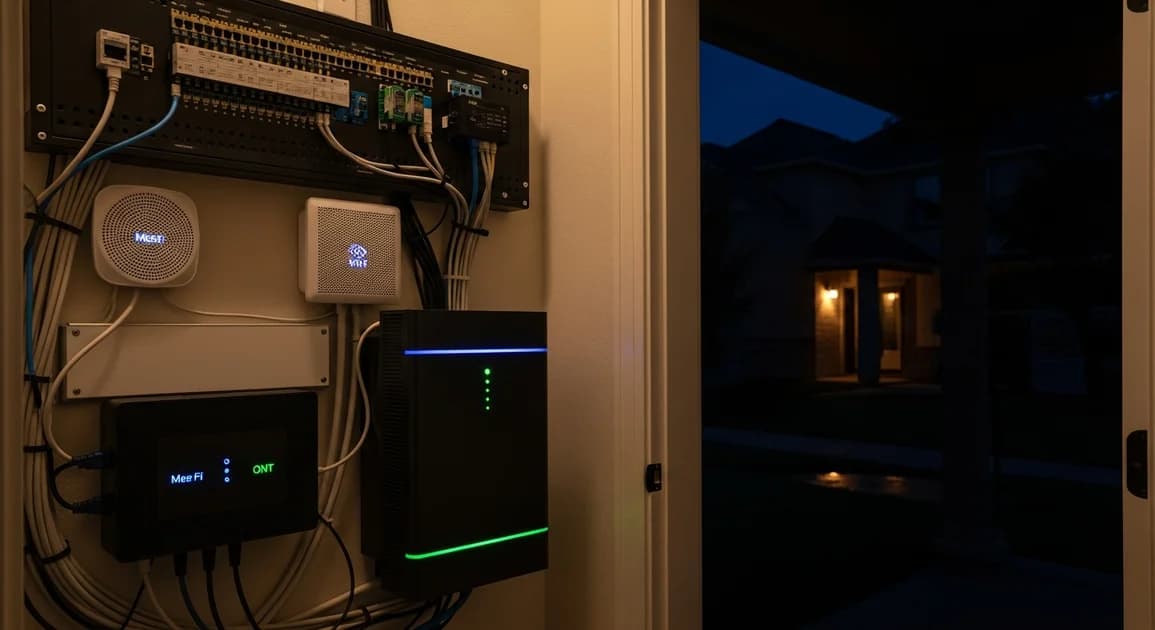
Most people assume their smart home "just works." Then the power goes out, the Wi-Fi router dies, and every camera, lock, thermostat, and light that depended on it goes dark at the same moment. Hurricane Beryl knocked out 2.26 million CenterPoint customers in July 2024, many for several days (CenterPoint Energy, Houston Chronicle, 2024). The good news for Houston smart-home owners: a connected home draws very little power, so a modest home battery can keep the whole ecosystem online far longer than you would expect. This guide shows you the load math, the right size, and which circuits to protect.
[INTERNAL-LINK: get a Houston battery backup quote in under 2 minutes -> /home-backup-planner?source=blog&slug=battery-backup-smart-home-automation-houston]
Key Takeaways
- A full connected-home stack (mesh Wi-Fi, a video doorbell, a few cameras, a smart hub, a thermostat, and lights) draws roughly 120 to 250W continuous, less than a single hair dryer on low.
- The camera is never the problem. The network is. If the modem, fiber ONT, and router lose power, every cloud device goes offline even though it still has power itself.
- Eos Essential (8.76 kWh usable) carries a smart-home-plus-network load well past a full day; the plan's "up to 6 hours" headline assumes a full 1.5 kW household baseline, not a 200W smart stack.
- Plus (17.52 kWh usable) adds a fridge, room comfort, and headroom for a Beryl-class multi-day event.
- A whole-home battery recharges itself from the grid the moment power returns, so the next outage is covered automatically.
Does a home battery keep Ring and Nest online during an outage?
Yes, but only if the battery also backs up the path to the internet. A Ring doorbell or Nest camera draws a trivial amount of power on its own. What it cannot survive is losing the modem, the fiber ONT, and the Wi-Fi router, because cloud cameras need an internet connection to record, alert, and let you watch the live feed. Back up the camera but not the router, and you get a powered camera that can see nothing useful.
This is the single most common mistake we see in Houston smart-home setups. People put a small battery on the doorbell transformer and forget that the doorbell talks to Ring's servers over their home Wi-Fi. During Beryl, customers told us the same story again and again: the cameras had power, but the app showed "offline" for days.
There are two kinds of devices to keep straight. Cloud devices (most Ring, Nest, Wyze, and Arlo cameras) need internet to do anything useful. Local-storage devices (a camera writing to a network video recorder, or NVR) need only power and a local network. A whole-home battery solves both because it keeps the network closet and the cameras powered together.
How much power does a smart home actually use?
A complete Houston smart-home stack runs about 120 to 250W continuous, per manufacturer datasheets. That is the entire point: the gear that makes your home "smart" sips power. The draw breaks down into security, network, climate, and lighting, and the network is the part you cannot skip.
A wired Ring Video Doorbell pulls only a few watts, and Wi-Fi security cameras draw roughly 3 to 6W each (Ring and Google Nest device specs, 2025). A mesh Wi-Fi node such as an eero or Netgear Orbi draws 5 to 12W, and a typical cable modem or fiber ONT plus router combine for 30 to 50W (Netgear, Arris datasheets, 2025). A Nest thermostat draws about 1W from the HVAC C-wire, a Philips Hue bridge about 2W, and smart plugs and switches less than 1W each in standby (Google Nest, Signify Hue specs, 2025).
Add a small network video recorder and a handful of PoE cameras and you climb toward the top of that range. A pure cloud-camera-and-mesh setup sits near the bottom, around 100 to 150W.
Citation capsule. A complete connected-home stack (video doorbell, four Wi-Fi cameras, a three-node mesh network, a modem and fiber ONT, a smart hub, a thermostat, and a lighting bridge) draws roughly 120 to 250W continuous, per Ring, Google Nest, Netgear, and Arris device datasheets. That is less than the standby draw of a single window AC unit.
How long will an Eos battery run my smart home?
A 9 kWh Eos Essential system, with 8.76 kWh of usable capacity, runs a 150 to 200W smart-home-and-network load for well over a full day, and often closer to two. The math is simple: 8.76 kWh divided by 0.2 kW is roughly 43 hours, before you account for any solar recharge during daylight.
That figure looks far higher than the "up to 6 hours" you see on the Essential plan page, and both are correct. The plan's headline runtime assumes a full 1.5 kW household baseline (fridge, lights, Wi-Fi, and a few outlets). A smart-home-only load is roughly a tenth of that, so the runtime stretches accordingly. If all you care about during an outage is security, locks, and connectivity, the smallest system is dramatic overkill in the best way.
Most Houston households, though, do not want security-only. They want the fridge cold and a room comfortable too. That is where the Plus plan, at 17.52 kWh usable, fits: it runs the full smart-home stack plus a refrigerator and essential lighting through a multi-day event with margin to spare.
[INTERNAL-LINK: check which Eos size fits your smart-home loads -> /home-backup-planner?source=blog&slug=battery-backup-smart-home-automation-houston]
Which circuits should you back up?
For a smart home, protect the network closet first, then security, then comfort. The priority order matters because the smart panel that comes with every Eos system lets you assign loads, and the goal is to keep the low-draw, high-value circuits alive the longest.
The non-negotiable circuit is wherever your modem, fiber ONT, router, and main mesh node live, usually a closet, office, or media cabinet. If that outlet is on the protected side of the panel, your whole cloud ecosystem stays online. The security panel or hub, the garage circuit (so the smart garage-door opener works), the thermostat's HVAC control, and a few key interior and exterior lights round out the smart-home essentials.
[UNIQUE INSIGHT] Houston cable and fiber connections from Xfinity, Spectrum, and AT&T Fiber often stay up through outages longer than people expect, because the providers back up their own node and head-end equipment. During Beryl, the failure point was almost always on the customer side: a dead router, modem, or ONT. Keep yours powered and you usually keep service.
Smart home backup vs a UPS or portable power station
A small uninterruptible power supply (UPS) on your modem buys minutes to a couple of hours; a whole-home battery buys days and recharges itself. Both have a place, but they solve different problems. For a short ERCOT blink, a $100 desktop UPS on the network closet is genuinely good insurance and keeps your cameras online through a brief trip.
For a Beryl-class multi-day outage, a UPS is not the answer. A 1,500 VA UPS holds a 50W network load for only a few hours, then it is dead and cannot recharge without grid power. A wall-mounted Eos battery tied to your panel keeps the same load running for days, then refills from the grid automatically when power returns. [PERSONAL EXPERIENCE] After Beryl, the customers happiest with their setup were the ones who had put the network and security on a whole-home battery; the UPS-only households were back to "offline" alerts by the second morning.
[INTERNAL-LINK: full Houston power outage preparedness guide -> /blog/houston-power-outage-preparedness-guide]
Sizing it for your Houston home
Match the system to how much beyond the smart home you want to cover. Security and connectivity alone fit the Essential tier with enormous runtime headroom. Add the fridge and a comfortable room and you are in Plus territory. Want the whole house to ride through a multi-day storm without thinking about it, and you are looking at Pro.
| What you want covered | Continuous load | Recommended size |
|---|---|---|
| Smart home + network only | 120 to 250W | 9 kWh (Essential) |
| Smart home + fridge + lights | 0.5 to 1.5 kW | 18 kWh (Plus) |
| Whole-home, multi-day | 1.5 to 4 kW | 27 kWh+ (Pro) |
For a deeper walk-through of whole-home sizing in Houston, see our home battery backup in Houston guide.
[INTERNAL-LINK: book a free Houston home assessment -> /home-backup-planner?source=blog&slug=battery-backup-smart-home-automation-houston]
Or call our Houston office at (713) 462-2202 to talk through your connected-home loads with a technical lead.
FAQ
Will my smart locks still work in an outage?
The lock itself almost always keeps working, because most smart locks (August, Schlage Encode, Yale) run on their own AA or rechargeable batteries inside the lock, per manufacturer specs. What you lose without power is the remote side: app control, auto-lock routines, and notifications, all of which depend on the lock's hub and your Wi-Fi. Keep the network closet on battery and you keep full smart-lock function.
Do Ring cameras work without internet?
Most Ring cameras do not record or alert without internet, because they are cloud devices that upload clips to Ring's servers (Ring support documentation). The camera may still have power, but with no working router and modem it cannot reach the cloud, so the app shows it offline. The fix is to keep the whole network path powered, not just the camera.
How big a battery do I need just for cameras and Wi-Fi?
The smallest Eos system (9 kWh Essential, 8.76 kWh usable) is far more than enough. A camera-and-Wi-Fi load of 100 to 200W runs for well over a day on that capacity, roughly 40-plus hours by simple division, before any solar recharge. The reason to size up is to also cover a fridge, comfort cooling, or a longer multi-day event, not the smart gear itself.
Does the battery recharge after the outage automatically?
Yes. Every Eos system recharges from the grid the moment utility power returns, with no action from you, so it is full and ready for the next outage. Houston averages more than 20 grid interruptions a year, and the system handles them invisibly. If you add solar, the battery also tops up from the panels during daylight, which extends runtime in a prolonged outage.
The bottom line
A smart home is one of the easiest things to keep alive in an outage, because it draws so little power, but only if you protect the right circuit. The camera, lock, and thermostat are trivial loads; the modem, ONT, and router are the dependency that quietly takes everything else down. A 9 kWh Eos Essential system keeps the full connected-home stack online for well over a day, and stepping up to 18 or 27 kWh adds the fridge and comfort for a Beryl-class event. Size it to what you want covered beyond the smart home, because the smart home itself barely moves the needle.
[INTERNAL-LINK: get a Houston smart-home battery backup quote -> /home-backup-planner?source=blog&slug=battery-backup-smart-home-automation-houston]