Battery Backup for Security Cameras and Alarm Systems in Houston

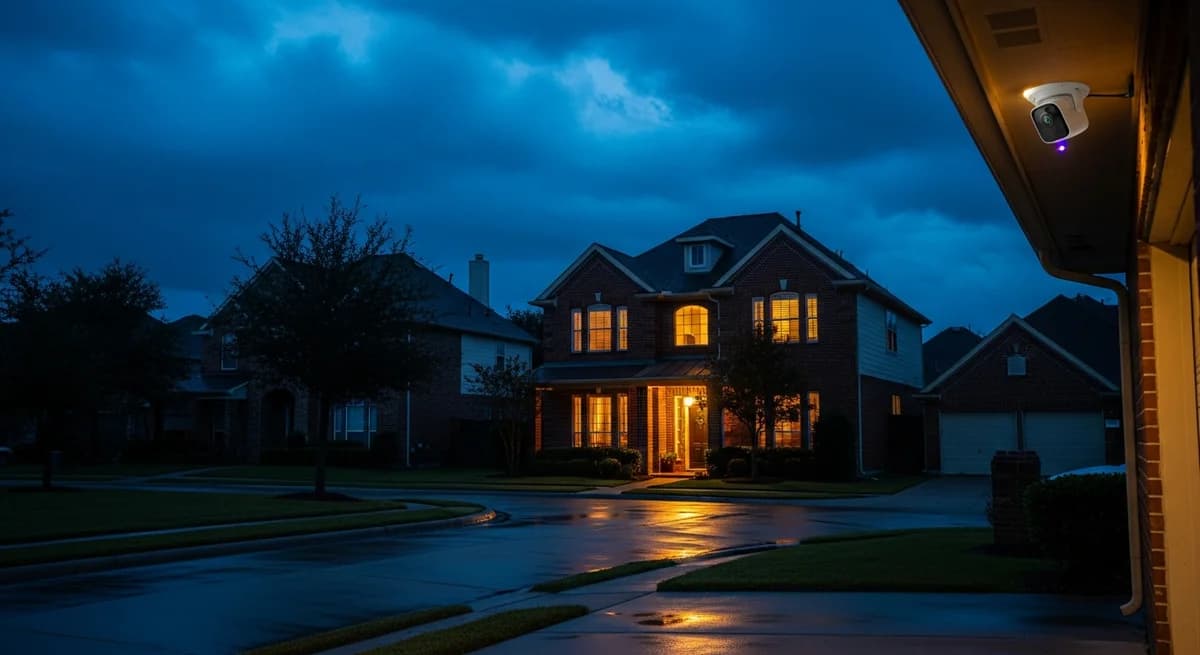
In the week after Hurricane Beryl made landfall in July 2024, Houston police fielded roughly 43 burglary reports a day, more than four times the June average of about 10, according to ABC13 Houston crime coverage. The timing was no coincidence. When the grid fails, most camera systems, alarm panels, and smart locks fail with it, right at the moment your neighborhood goes dark and opportunistic crime climbs. This guide walks through exactly what dies, in what order, and how to size a home battery so your entire security stack keeps recording and reporting for days instead of hours.
Key Takeaways
- After Beryl knocked out power to some 2.7 million Texas customers in 2024, Houston PD logged roughly 43 burglary reports a day, up from about 10 a day the month before (ABC13, 2024).
- The backup battery inside a typical alarm panel lasts 4 to 24 hours. Beryl restoration took a week or more for many homes.
- A full security stack (cameras, NVR, alarm panel, doorbell, locks, router) draws under 200W continuous.
- At that draw, a 9 kWh Eos Essential system runs security for roughly two days or more, not hours.
- Cameras without a powered router are blind. The network is the weakest link, not the camera.
[INTERNAL-LINK: get a Houston battery backup quote in under 2 minutes → /home-backup-planner?source=blog&slug=battery-backup-security-cameras-alarm-systems-houston]
Do security cameras keep working when the power goes out?
No, not by default. Wired PoE cameras and the recorder they feed die the instant the grid drops, and Wi-Fi cameras follow as soon as the router loses power. As of 2026, outdoor IP cameras draw only about 4 to 12W each and NVRs 10 to 60W, per Reolink's power consumption guides, but low draw doesn't help when there's no power at all.
Battery-powered cameras like Ring Spotlight or Arlo keep running on their internal cells. Here's the catch: most of them are cloud devices. Once your modem and router go dark, they can't upload clips, can't send motion alerts, and can't show you a live feed from the evacuation hotel. Ring's own support documentation is clear that recording and alerts require an internet connection.
The weakest link in almost every Houston security setup isn't the camera, it's the internet path. A camera writing to a local NVR keeps recording on backup power with no internet at all. A cloud-only camera, which describes most consumer brands, is blind the moment the router dies, and the router has no backup in most homes. Alarm industry guides talk endlessly about panel batteries and almost never mention this dependency. We covered the fix in detail in our guide to keeping your router and modem online during outages.
How long does the battery inside your alarm panel actually last?
The sealed backup battery inside a typical alarm panel keeps the system armed for roughly 4 to 24 hours, according to Alarm Grid's technical documentation, and those batteries degrade noticeably after 3 to 5 years of service. That was never designed for a Houston hurricane timeline. After Beryl, CenterPoint restoration stretched past a week for hundreds of thousands of customers, per the Texas Tribune.
Security professionals at SafeHome.org recommend at least 24 to 48 hours of backup for a security system to be storm-worthy. A stock panel battery covers the bottom edge of that range on its best day, and a five-year-old battery covers far less. If your keypad has ever shown a "low battery" trouble signal, your real number is closer to the 4-hour end.
Citation capsule. A stock alarm panel backup battery holds a system for 4 to 24 hours per Alarm Grid, while post-Beryl restoration in Houston took over a week for many CenterPoint customers, per the Texas Tribune. The gap between those two numbers is the case for whole-home battery backup of security equipment.
Cellular vs internet alarm monitoring: which one survives an outage?
Cellular monitoring survives; internet monitoring goes silent with your modem. A panel with a cellular communicator keeps reporting alarms to the monitoring center as long as the panel itself has power and nearby cell towers are standing, and Houston towers usually ride through storms on their own generator backup. A system that reports over your broadband connection stops communicating the moment the modem loses power, even if the panel battery is still healthy.
Does that mean cellular users can relax? Not quite. Either path still depends on the panel having power, which loops back to that 4-to-24-hour internal battery. Dual-path systems, which use internet as primary and cellular as backup, are the standard recommendation from monitoring providers, but the panel, the cameras, and the sirens all still need watts. If your broader connected home matters too, our smart home backup guide covers the convenience side of the same problem.
What about smart locks and video doorbells?
Smart locks keep locking; their smart features quietly stop. Locks from August, Schlage, and Yale run on internal batteries, so the deadbolt works mechanically through any outage. What disappears without house power is everything remote: app control, codes synced over Wi-Fi, auto-lock schedules, and the notification telling you the back door just opened. Wired video doorbells draw only around 5 to 15W, but they feed off a doorbell transformer that dies with the grid.
The other physical entry point people forget is the garage. An opener without power is a manual door, and a driveway gate without power may fail open or trap cars inside. We wrote a full breakdown of garage doors and driveway gates during outages if that's part of your perimeter.
Does an outage affect your alarm insurance discount?
It can create exactly the gap the discount assumes away. Insurers commonly offer homeowners 2 to 15 percent off premiums for a monitored security system, with the larger discounts going to homes with 24/7 professional monitoring and multiple protective devices, per Policygenius guidance on home security discounts. Those discounts are priced on the assumption that the system is actually monitoring.
A multi-day outage that outlasts your panel battery means days of no signals reaching the monitoring center. We're not going to promise anything about claims, and neither should anyone else, but it's a fair question for your carrier: what does continuous monitoring mean in my policy, and what happens during an extended outage? Our guide to home battery insurance discounts with Texas carriers digs into how backup power and premiums intersect.
[INTERNAL-LINK: check if your home qualifies for a 9 to 45 kWh system → /home-backup-planner?source=blog&slug=battery-backup-security-cameras-alarm-systems-houston]
How to size battery backup for your full security stack
Add up the watts, and the answer is smaller than you'd guess: a complete home security stack typically draws under 200W continuous. Per Reolink's published figures, an 8-camera PoE system with its NVR lands around 80 to 130W total, and the rest of the stack adds modest single digits per device.
| Device | Typical continuous draw |
|---|---|
| 4 to 8 IP cameras | 20 to 60W |
| NVR (local recording) | 30 to 60W |
| Alarm panel + siren standby | 10 to 15W |
| Modem + router | 30W |
| Video doorbell + hubs | 10 to 20W |
| Full security stack | 100 to 185W |
Here's the sizing process we use on Houston installs:
- Inventory the devices. List every camera, the NVR, the alarm panel, the doorbell transformer, and any hubs, with wattage from the label or spec sheet.
- Find their circuits. Security gear usually spreads across 2 or 3 breaker circuits plus the network closet.
- Add the network circuit. No powered router means no alerts and no cloud video. This circuit is not optional.
- Match capacity to draw. Divide usable battery capacity by your stack's kilowatts to get hours.
- Confirm at install. Have the installer verify the panel, NVR, and network closet all sit on backed-up circuits.
On a typical Eos install in the Houston area, we measure the whole security-plus-network stack at roughly 150 to 180W continuous. The Essential system's 8.76 kWh of usable capacity divided by 0.18 kW works out to about 48 hours of security-only runtime, and closer to 58 hours at 150W, before any solar recharge. That's two-plus days of recording and reporting from the smallest system we sell, which is really sized to also carry your fridge, lights, and Wi-Fi.
[INTERNAL-LINK: see what the Essential 9 kWh plan covers → /plans/essential]
Why one home battery beats a closet full of UPS units
A UPS per device buys you minutes to hours; a wall-mounted battery with automatic transfer buys you days, with zero action required. That last part matters more than people think. Burglars favor houses that look unattended, and the outage scenario where you most need cameras working is the one where you're out of town and can't go plug anything in.

A whole-home battery switches over in milliseconds, so cameras never reboot and the panel never registers a power loss event. It's also silent. A portable generator advertises to the whole block which houses have power and which garage it's sitting next to; a battery gives no sign at all. After Beryl, when The Texan counted 259 burglary reports in Houston in just the six days after landfall, the pattern in our inquiry calls changed noticeably: security stopped being a footnote and became one of the first three reasons Houston homeowners gave for wanting backup power. For the broader storm checklist, see our Houston power outage preparedness guide and our pillar guide to home battery backup in Houston.
Citation capsule. A complete home security stack, including cameras, an NVR, the alarm panel, a video doorbell, and the router, draws under 200W continuous per Reolink and manufacturer spec sheets. On a 9 kWh Eos Essential system with 8.76 kWh usable, that load runs for roughly two days or more without grid power.
[INTERNAL-LINK: book a free Houston home assessment → /home-backup-planner?source=blog&slug=battery-backup-security-cameras-alarm-systems-houston]
Prefer to talk it through? Call the Eos team at (713) 462-2202 and we'll walk your security loads with you.
FAQ
Do wireless security cameras work without electricity?
Battery-powered cameras keep recording locally, but most are cloud devices that need your Wi-Fi to alert you or store footage, per Ring's support documentation. Once the router and modem lose power, the app shows them offline. Wi-Fi plug-in cameras stop entirely. Backing up the network circuit is what keeps any of them useful.
How long will a 9 kWh battery run security cameras and an alarm system?
Roughly two days or more. A measured 150 to 180W security-plus-network stack on the Essential system's 8.76 kWh of usable capacity works out to 48 to 58 hours by straight division. Solar recharge, if you add it, extends that further. A stock alarm panel battery, by comparison, gives you 4 to 24 hours.
Will my alarm company know if my power goes out?
Usually yes, at first. Most panels send an AC-loss signal to the monitoring center when grid power drops, then a low-battery signal as the internal battery fades, per Alarm Grid documentation. Once that battery dies, internet-monitored systems go completely silent, and even cellular systems stop reporting.
Do burglaries really increase during Houston power outages?
The Beryl data says yes. Houston PD fielded roughly 43 burglary reports a day in the week after the July 2024 landfall, versus about 10 a day the month before, per ABC13. The Texan counted 259 burglary reports in the six days after the storm hit.
Should I put my cameras on a UPS instead of a home battery?
A desktop UPS on the router is decent insurance for short ERCOT blinks, but it holds a network load for only 1 to 4 hours and can't recharge without grid power. For a Beryl-class outage measured in days, it's a bridge, not a solution. SafeHome.org recommends 24 to 48 hours of backup as the security minimum.
The bottom line
An outage removes your home's electronic deterrents at the exact moment neighborhood risk peaks, and the Beryl numbers put that on the record for Houston. The fix is cheap in watts: your entire security stack draws less than two old incandescent light bulbs, so even the smallest Eos system keeps it recording, reporting, and lit for days. Size the battery for the fridge and the Wi-Fi, and the security coverage comes along almost free.